

Uncategorised
How to Hide Messy Wires: Smart Conference Tables with Cable Management
How to Hide Messy Wires: Smart Conference Tables with Cable Management
Picture this: You walk into an important client meeting. The table is beautiful, the chairs are ergonomic, but in the center, there’s a tangled nest of black and grey cables, laptop chargers, HDMI cords, and power strips warring for space. It looks unprofessional, it’s distracting, and it’s a tripping hazard.
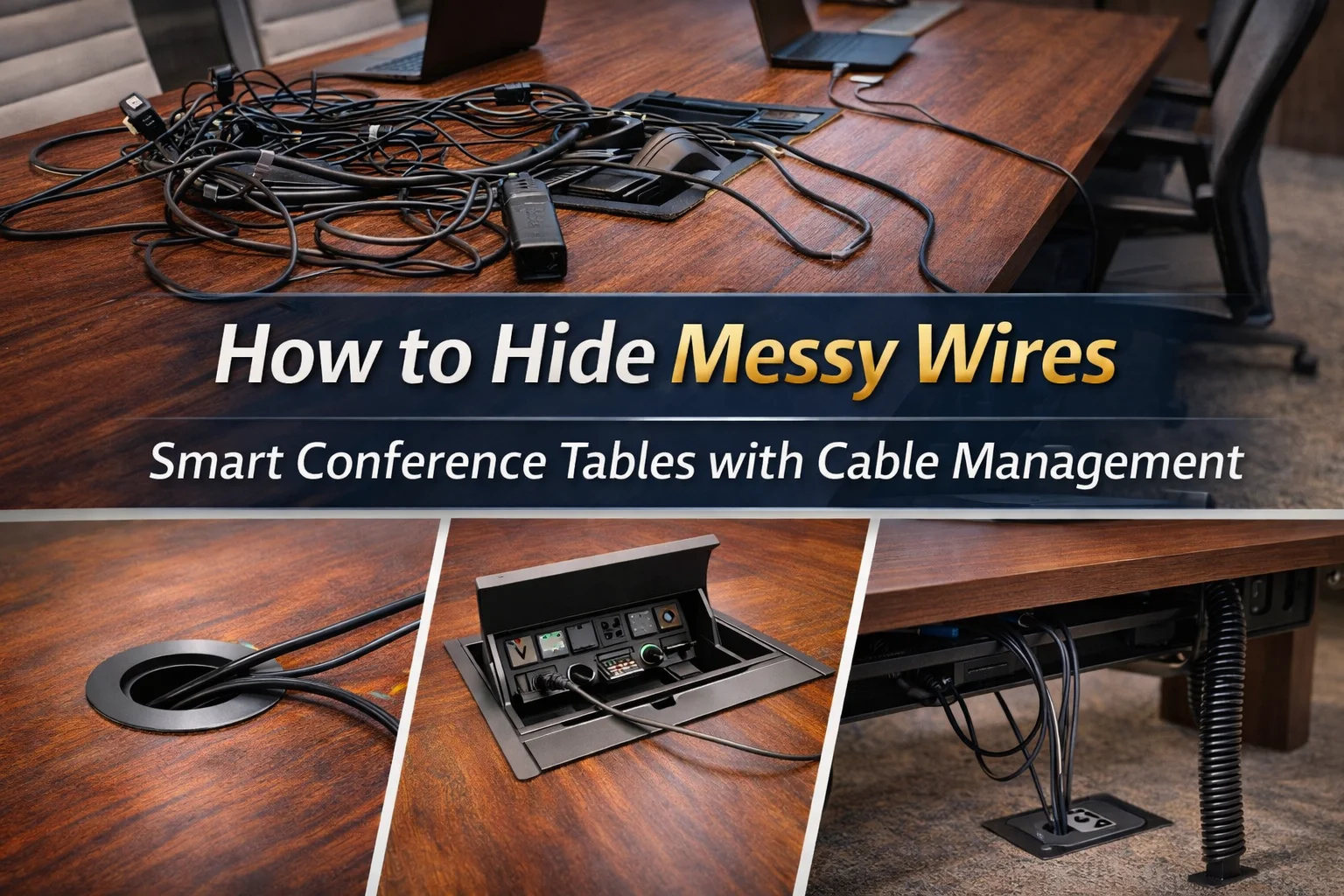
In the modern digital workspace, technology is essential for collaboration, but the resulting “wire spaghetti” is a major pain point. The solution isn’t just buying more zip ties; it’s choosing furniture designed for the way we work today.
Investing in a smart boardroom table is the simplest way to transform a chaotic meeting room into a streamlined hub of productivity. Here is how smart tables use integrated features to hide the mess and keep your team connected.
1. The First Line of Defense: Built-in Grommets
The simplest solutions are often the best. A cable grommet is essentially a reinforced hole cut strategically into the tabletop, usually fitted with a plastic or metal cover that sits flush with the surface.
Instead of draping cables over the edge of the table—where they dangle messily and get caught on chairs—users simply drop their cords through the grommet. Underneath the table, these cables can be routed neatly into a tray or directly to a floor outlet.
When not in use, the grommet cover keeps the table surface looking sleek and unbroken. It’s a subtle feature that makes a massive difference in daily use.
2. The Power Hub: Connectivity Boxes and Pop-Up Ports
For boardroom setups that require frequent connections for presentations and multiple laptops, simple grommets might not be enough. Enter the connectivity box.
These are integrated modules built directly into the surface of smart boardroom tables. They provide easy, tabletop access to essential ports:
-
Power Outlets: No more crawling under the table to find a plug.
-
Data/Ethernet Ports: For secure, hardwired internet connections.
-
HDMI/VGA/USB-C: For instantly connecting laptops to the main meeting room screen.
Some connectivity boxes feature “pop-up” designs that hide flush within the table when idle, rising with a simple press when needed. This ensures that if you decide to , the technology never detracts from the furniture’s aesthetic.
3. The hidden structure: Cable Spines and Trays
Grommets and connectivity boxes handle the wires on the table, but what happens underneath? Without sub-surface management, the mess just moves from the top of the table to the floor beneath it.
Truly smart boardroom tables utilize under-table solutions:
-
Cable Trays: These horizontal channels run beneath the tabletop, catching the wires dropped through grommets and holding power strips off the floor.
-
Cable Spines (Vertebrae): These flexible, segmented tubes guide bundles of cables from the underside of the table down to the floor box. They are particularly vital for height-adjustable tables, flexing as the table moves up and down to prevent snagging.
A Professional, Connected Workspace
A cluttered conference room sends the wrong message to clients and frustrates employees. By choosing tables with integrated cable management, you ensure that technology enhances your meetings rather than hindering them.
If your current boardroom is suffering from cable chaos, it’s time for a change. You can browse our extensive collection and designed specifically for the modern, tech-enabled office. Make the switch to a cleaner, more professional meeting environment today.
Tired of messy conference room wires? Discover how smart conference tables with integrated cable management, connectivity boxes, and grommets create a professional, clutter-free meeting space.
