

Uncategorised
How to Properly Adjust Your Ergonomic Chair for Maximum Comfort
How to Properly Adjust Your Ergonomic Chair for Maximum Comfort
So, you’ve finally invested in a high-quality ergonomic chair. You’ve unboxed it in your Lagos office, and it looks great. But after an hour of sitting, you still feel a bit “off.”
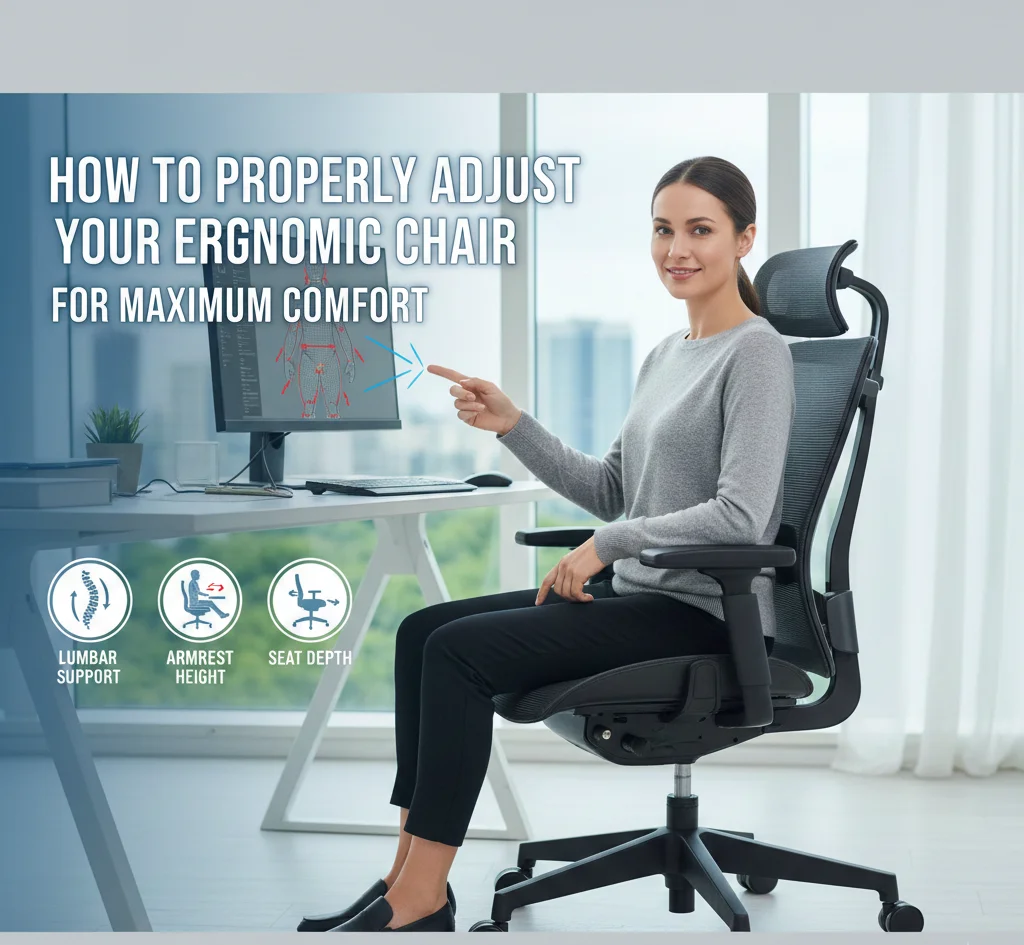
Here is a secret: An ergonomic chair is only ergonomic if you adjust it to fit YOUR body.
Think of it like a car seat. You wouldn’t drive a car without adjusting the mirrors and the seat distance, right? Your office chair is the same. In this guide, we’ll walk you through the “90-90-90 Rule” and show you exactly how to dial in your settings for a pain-free workday.
The Gold Standard: The 90-90-90 Rule
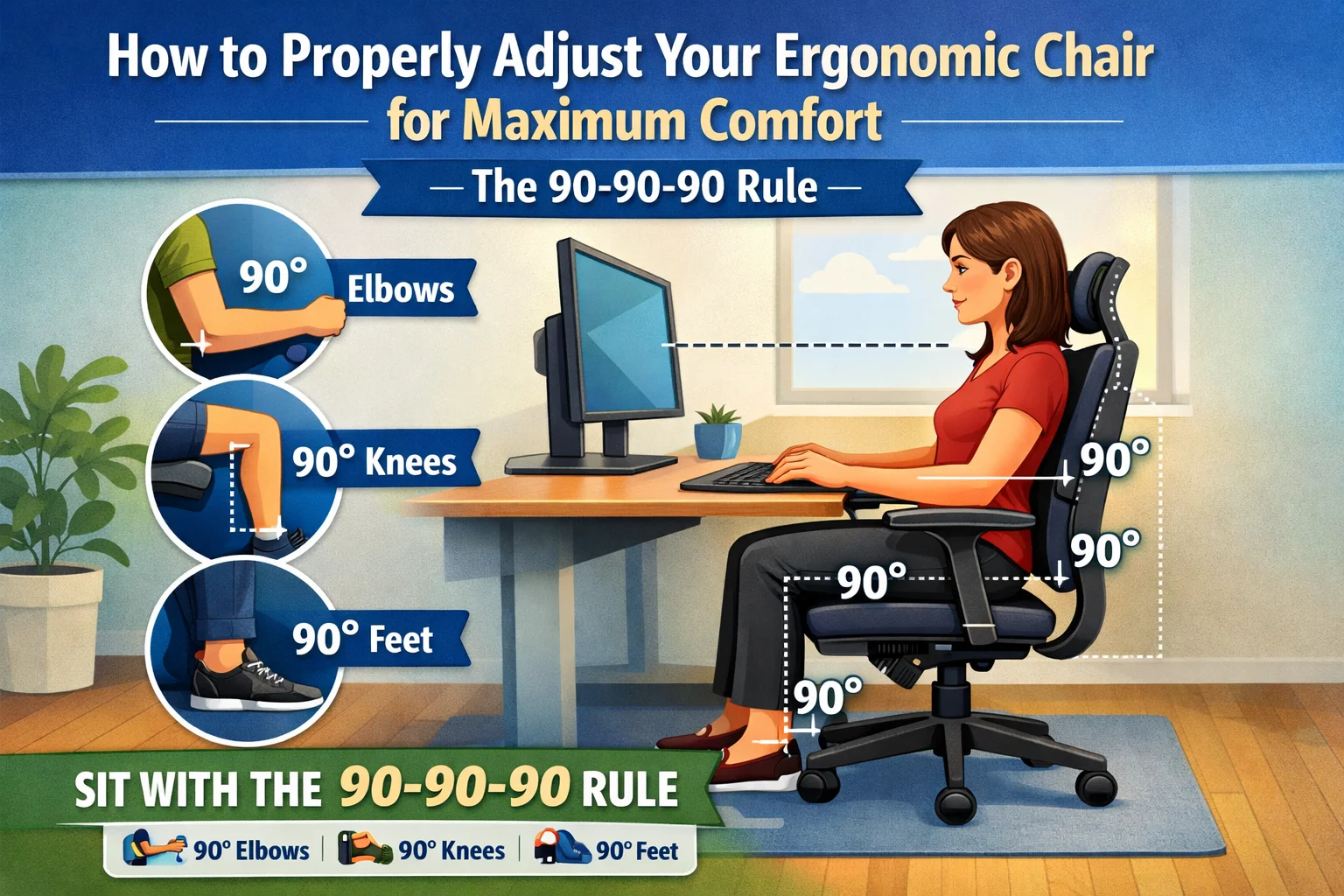
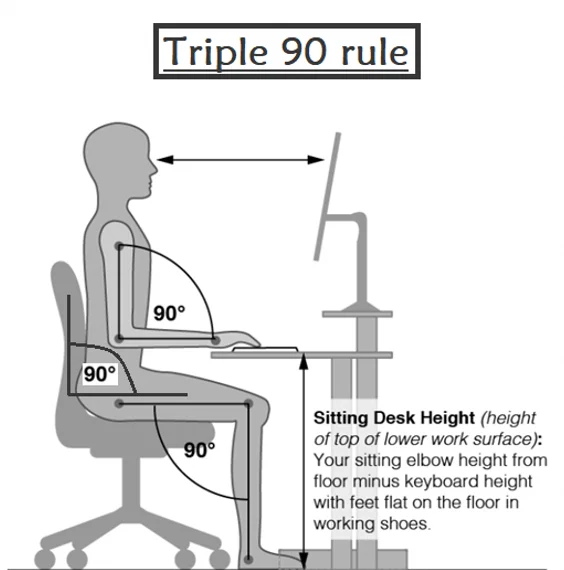
Before you touch any levers, understand the goal. When sitting correctly:
- Your elbows should be at a 90-degree angle.
- Your hips should be at a 90-degree angle.
- Your knees should be at a 90-degree angle.
If you achieve this, your weight is distributed evenly, and your joints are in their “neutral” happy place.
Step 1: Adjust the Seat Height (The Foundation)
Stand in front of your chair. Adjust the height so the highest point of the seat is just below your kneecap.
- The Test: When you sit down, your feet should be flat on the floor.
- Lagos Tip: If your desk is too high and your feet dangle to reach it, you need a footrest. Never let your feet hang; it puts massive pressure on your thighs and lower back.
Step 2: Seat Depth (The “Two-Finger” Rule)
Sit all the way back so your spine is pressed against the backrest.
- The Test: Check the gap between the front edge of the chair and the back of your knees. You should be able to fit 2 to 3 fingers in that gap.
- Why? If the seat touches the back of your knees, it restricts blood flow to your legs (leading to that “pins and needles” feeling).
Step 3: Lumbar Support (The Spine Saver)
This is the most important adjustment. Move the lumbar support (the curved part of the backrest) until it fits perfectly into the natural curve of your lower back (just above your belt line).
- The Feeling: It should feel like a firm, gentle hand pushing you forward slightly. If it’s too high or too low, it’s actually doing more harm than good.
Step 4: Armrest Alignment
Relax your shoulders. Adjust your armrests so your forearms rest on them while your elbows stay at a 90-degree angle.
- The Trap: If your armrests are too high, your shoulders will “hike up,” causing neck pain. If they are too low, you’ll lean to one side, misaligning your spine.
Step 5: The Backrest Tilt
Don’t sit at a rigid 90-degree angle all day. Research shows that leaning back slightly (about 100 to 110 degrees) is actually better for spinal pressure.
- Use the Tension Knob: Adjust the knob under your chair so that when you lean back, the chair offers some resistance but doesn’t make you feel like you’re falling.
What if your chair won’t adjust?
If you are reading this and realizing that your current chair’s armrests are fixed, the backrest is stuck, or the height lever is broken—it’s time to move on.
An unadjustable chair is just a stool with a backrest. It isn’t protecting your health.
To experience what true adjustability feels like, explore our Fully Adjustable Ergonomic Chair Series. From 4D armrests to sliding seat pans, we have the tech to fit every body type in Nigeria.
Stop fighting your chair. Start sitting right.
